HowToData Services Manager with VCF Automation
Data Services Manager and VCF Automation
DSM resources can be provisioned through the DSM UI, Kubernetes Operator, and VCF Automation. This post covers the DSM and VCF Automation integration.
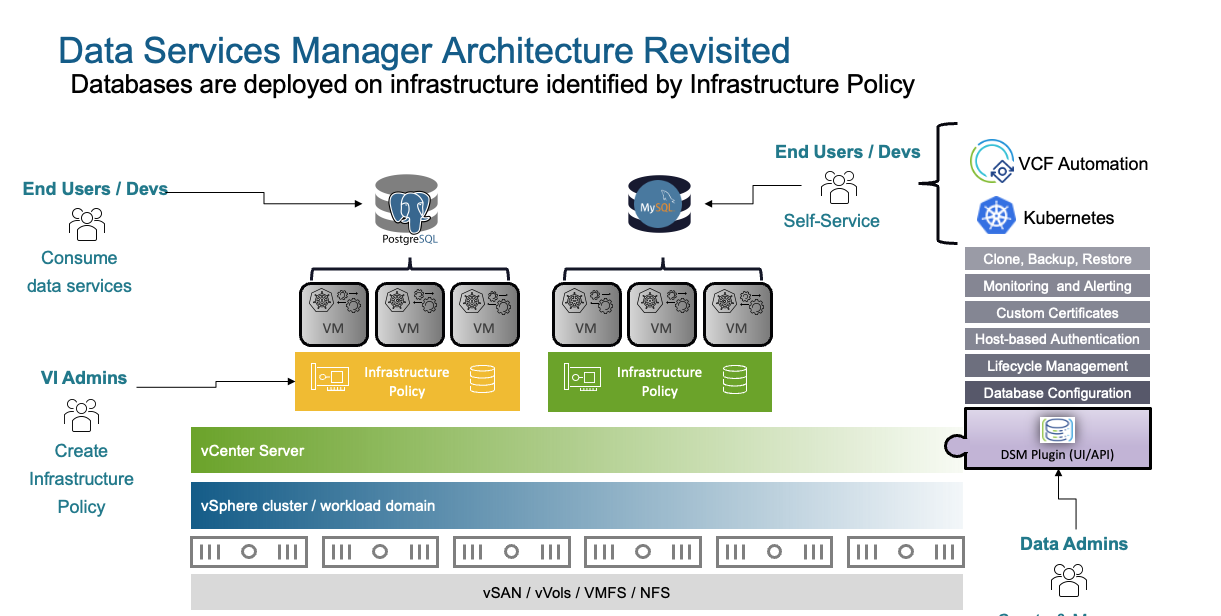
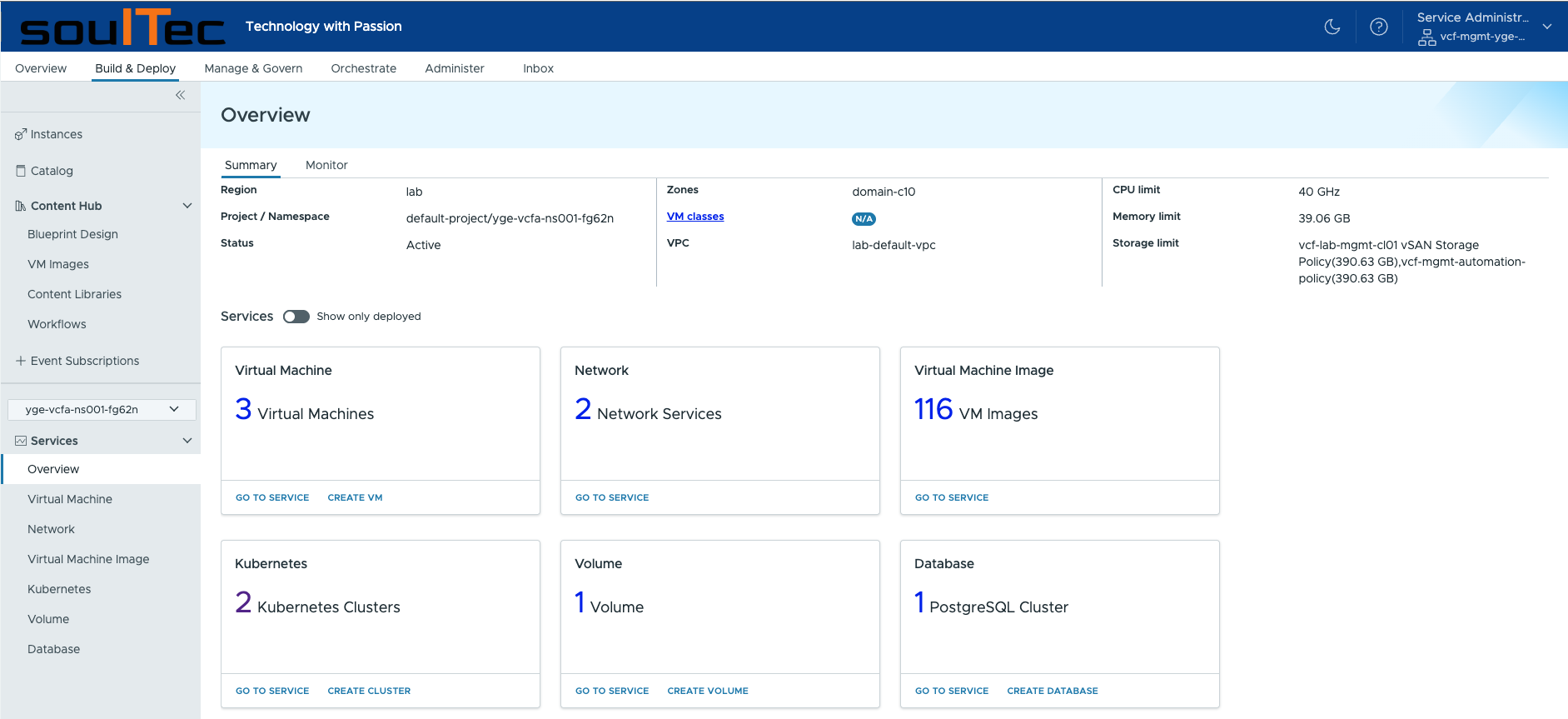
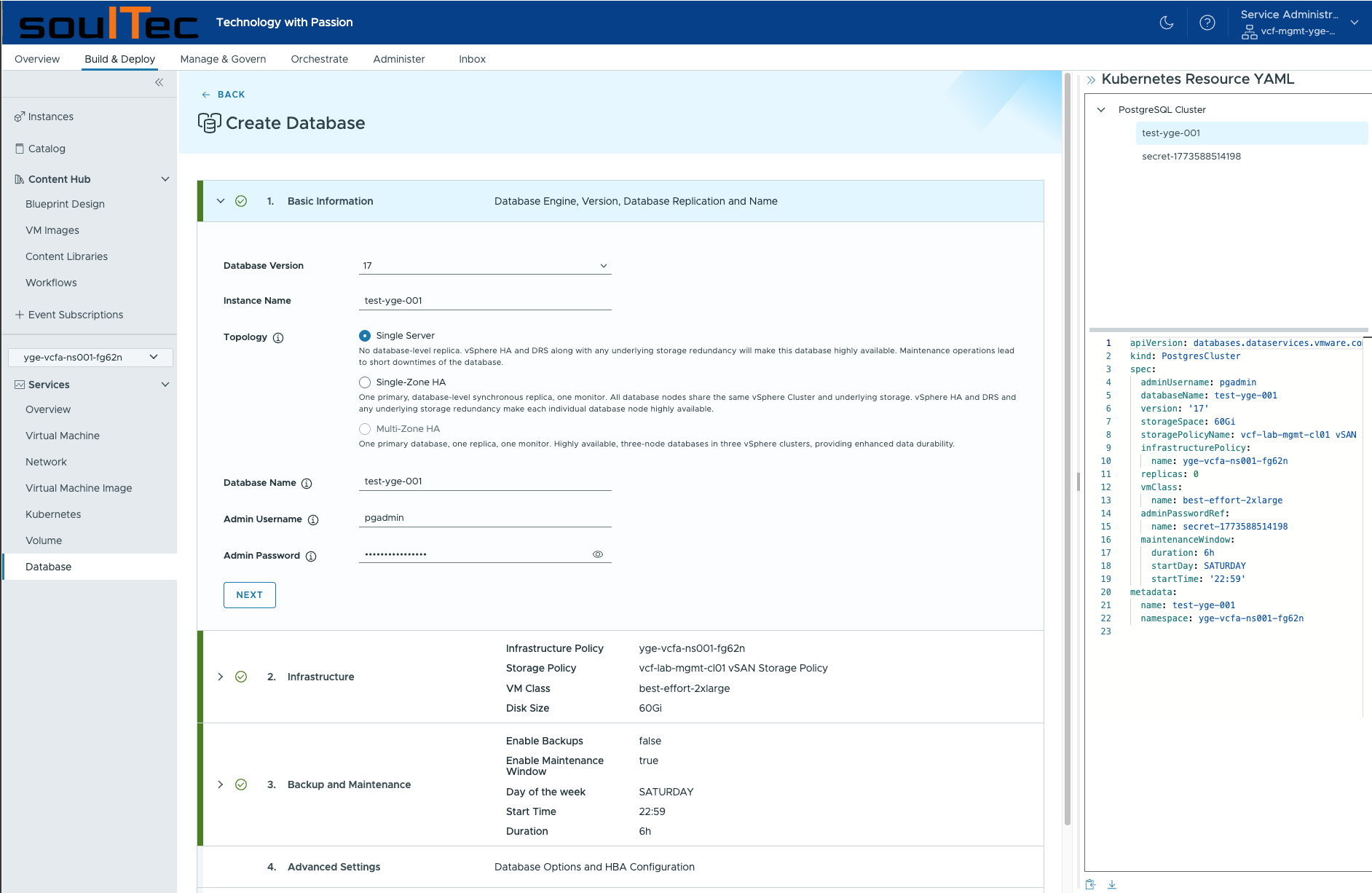
Our goal is to provision a PostgreSQL cluster through VCF Automation.
break
Prerequisites
VCFA leverages VKS / Supervisor for the DSM integration:
- Infrastructure Policies for DSM UI
- vSphere Namespaces for VCFA
Thus we need a Supervisor configured on the vSphere Cluster where DSM resources should reside. For that to work we need the DSM Supervisor Service (Database Consumption Operator).
Register DSM Supervisor Service
A Supervisor Service leverages vSphere Pods (CRX Runtime). This service allows the VCFA-DSM extension to consume the Supervisor.
We need two YAML files for that: Download the package.yaml and values.yaml files. Navigate to https://support.broadcom.com/group/ecx/productdownloads?subfamily=vSphere%20Supervisor%20Services.
- package.yaml - is the service
- values.yaml - is the configuration
values.yaml EXAMPLE
# imagePullSecret can be removed as anonymous image pull is currently supported by the default image repository
imagePullSecret: registry-creds
# imagePullSecretGeneration can be removed as anonymous image pull is currently supported by the default image repository
imagePullSecretGeneration:
  create:
    password: password
    server: artifactory repo url
    username: username
dsm:
  authSecretName: dsm-auth-creds
  authSecretGeneration:
    create:
      endpoint: https://vcf-mgmt-dsm01.vcf.soultec.lab
      user: [email protected]
      password: VMware1!VMware1!
      rootCA: |
        -----BEGIN CERTIFICATE-----
        MIIEWDCCA0CgAwIBAgIGAZzrEACNMA0GCSqGSIb3DQEBCwUAMFkxCzAJBgNVBAYT
        AlVTMQwwCgYDVQQKDANEU00xFTATBgNVBAsMDERTTSBQcm92aWRlcjElMCMGCSqG
        SIb3DQEJARYWZHNtX3N1cHBvcnRAdm13YXJlLmNvbTAeFw0yNjAzMTEwNjM3MDBa
        Fw0zNjAzMTQwNjM3MDBaMIGhMQswCQYDVQQGEwJVUzEMMAoGA1UECgwDRFNNMSAw
        HgYDVQQLDBdEU00gUHJvdmlkZXIgTWdtdCBQbGFuZTESMBAGA1UEBwwJUGFsbyBB
        bHRvMScwJQYDVQQDDB52Y2YtbWdtdC1kc20wMS52Y2Yuc291bHRlYy5sYWIxJTAj
        BgkqhkiG9w0BCQEWFmRzbV9zdXBwb3J0QHZtd2FyZS5jb20wggEiMA0GCSqGSIb3
        DQEBAQUAA4IBDwAwggEKAoIBAQC0OOLaJD6ktfs47NwaaxeU3SF1zOUgweF/u1h4
        nfzZ1YVkaVgpAyPFuLc+42pPK0IQY4r8Gb96T5NdqlF5HglRJIdiADZTSlne8cDF
        jt6sSMMRg4Ke+Pd6i1OOpR9uOVdvFxW1aZjCNbYoWxcbg11R6qFh4k0zEWxfZW2u
        2ZsVSe/DBytkR+dsEUijnMRtfqTMx554RjvyB0UJbHNjnxnypC1SHBLLERVAH5d9
        +j8O/PoHLeRKHiQ/wLuaR/pV0cqdkAAUTj09p2IKmzlcXYMFUkYpwZYuGwczPgJV
        aQytGVvEiq547f3WDpXGWs7U8Uhw6PS9nQ363Ytcxfh+6Tc7AgMBAAGjgdwwgdkw
        HQYDVR0OBBYEFMulbQPQnZehTUSS3ukzR82v2i1gMIGGBgNVHSMEfzB9gBQ6hDf1
        eM/HhSpjkqyejSqesEvbI6FdpFswWTELMAkGA1UEBhMCVVMxDDAKBgNVBAoMA0RT
        TTEVMBMGA1UECwwMRFNNIFByb3ZpZGVyMSUwIwYJKoZIhvcNAQkBFhZkc21fc3Vw
        cG9ydEB2bXdhcmUuY29tggYBnOsP8wYwLwYDVR0RBCgwJocEChgym4IedmNmLW1n
        bXQtZHNtMDEudmNmLnNvdWx0ZWMubGFiMA0GCSqGSIb3DQEBCwUAA4IBAQA2IerC
        NQTHi5ePoTHu3zGt4n10khkNTHfvKUZQQ54wYWZ12gM3DZ3WE5wHkAv8c3KuuG23
        s5OLcs9VgCqXUtaAywNphHYkEHLcORy9QY0NS6YxwaL60QmYNvMnTAFYrSZbp0Pm
        H/o2hnbq5QDzlcb57pyN7y11Y+bV0sASNmid2PDb5r55u0YZbixu8TBTXepGqZ9S
        Wyh8V3bu+ziN4vCwyUCnVIImPDByFvkpLaqFVMbvTxGL4dNfkWq4oEaspiW90CXK
        O9J71qm2fiprEENa9yuUBB1aw5zf5Fc+vGLldo084d52nvTefsnB88geML0v8Mnc
        XO84dp4fz69x2EDD
        -----END CERTIFICATE-----

  isSupervisor: true
consumptionClusterName: vcf-mgmt-cl01-sn01
Registering the service happens via the vSphere UI:
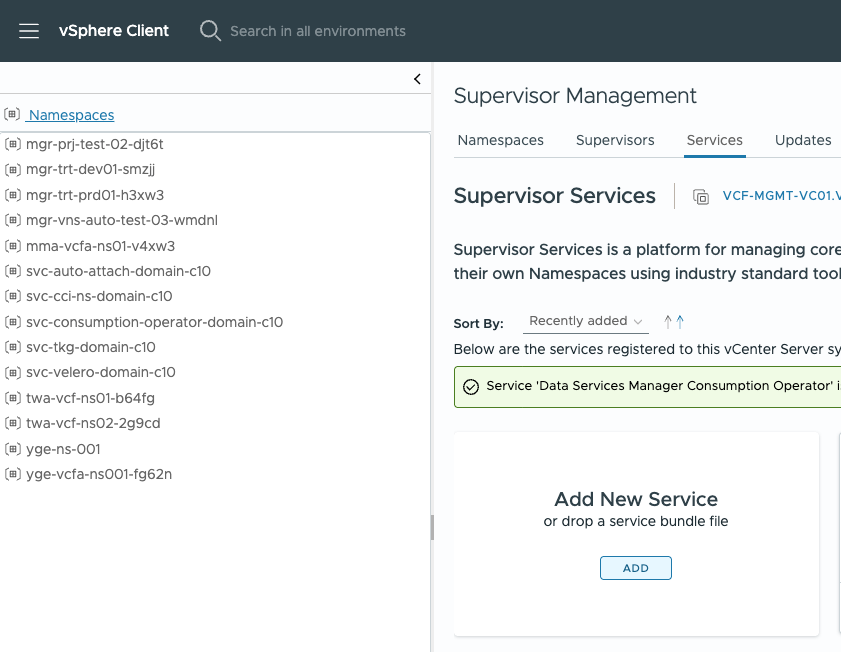
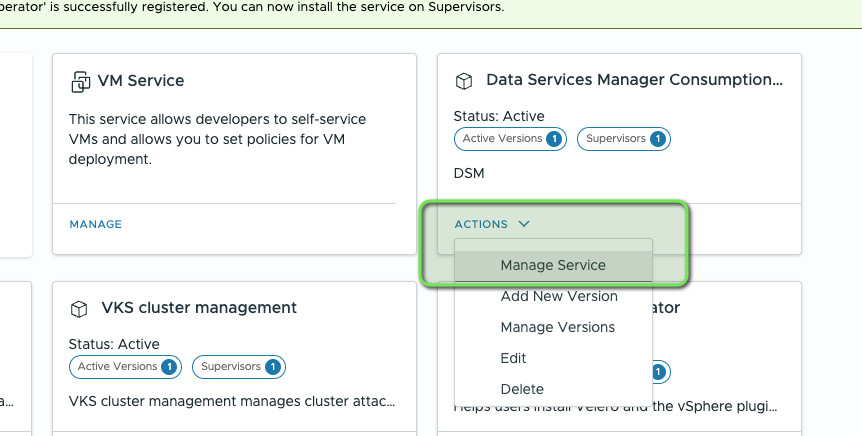
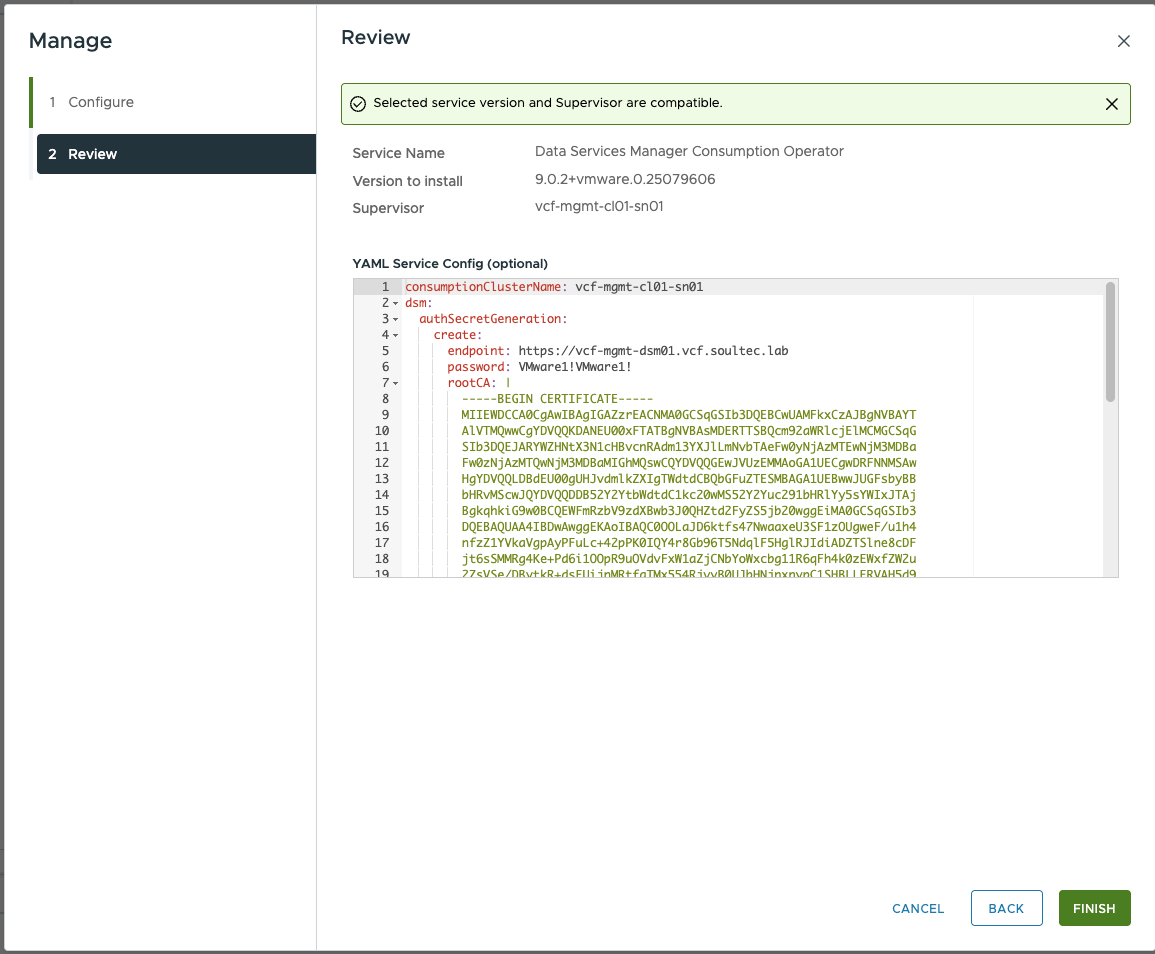
Register VCFA DSM Service
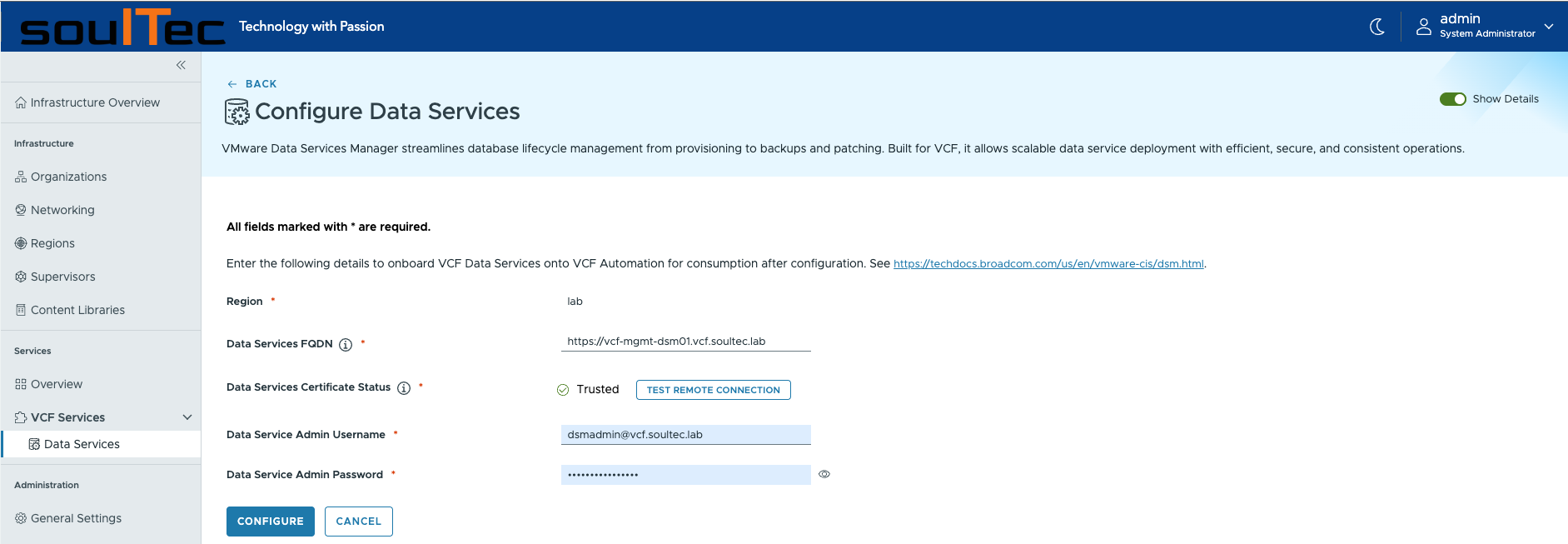
Now we need to connect VCFA to DSM. For that, log in to VCFA as a Provider Admin:
+NEW CONNECTION
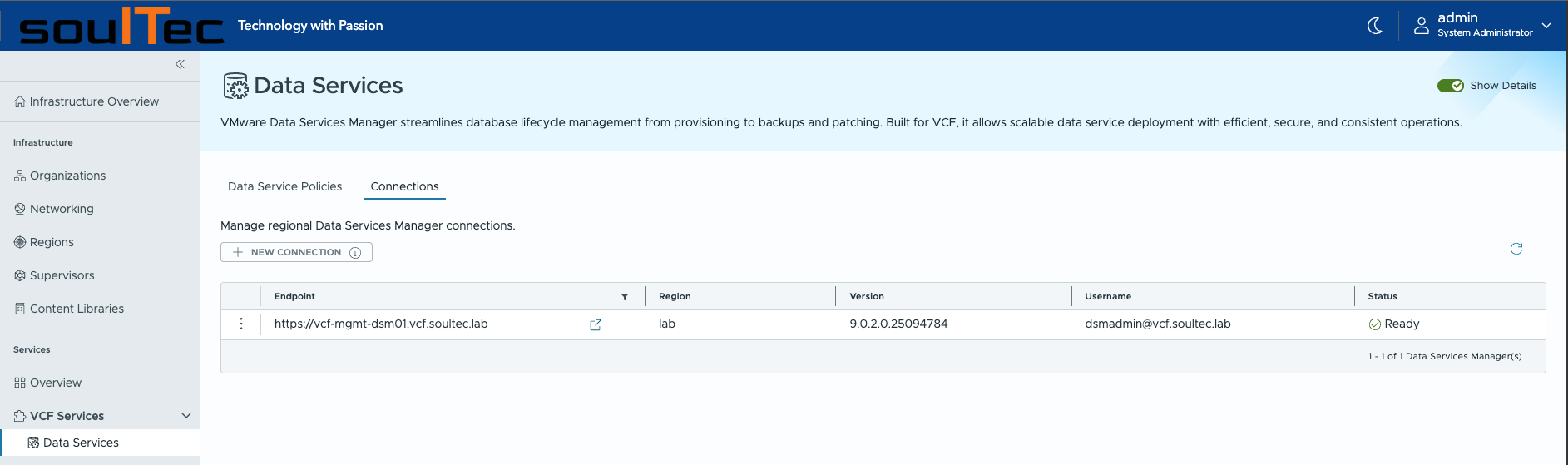
And fill out the details (DSM cert can be downloaded via browser):
Create VCFA Policy
Now we create a policy that defines in which vSphere Namespace and VCFA Organization DSM can be consumed:
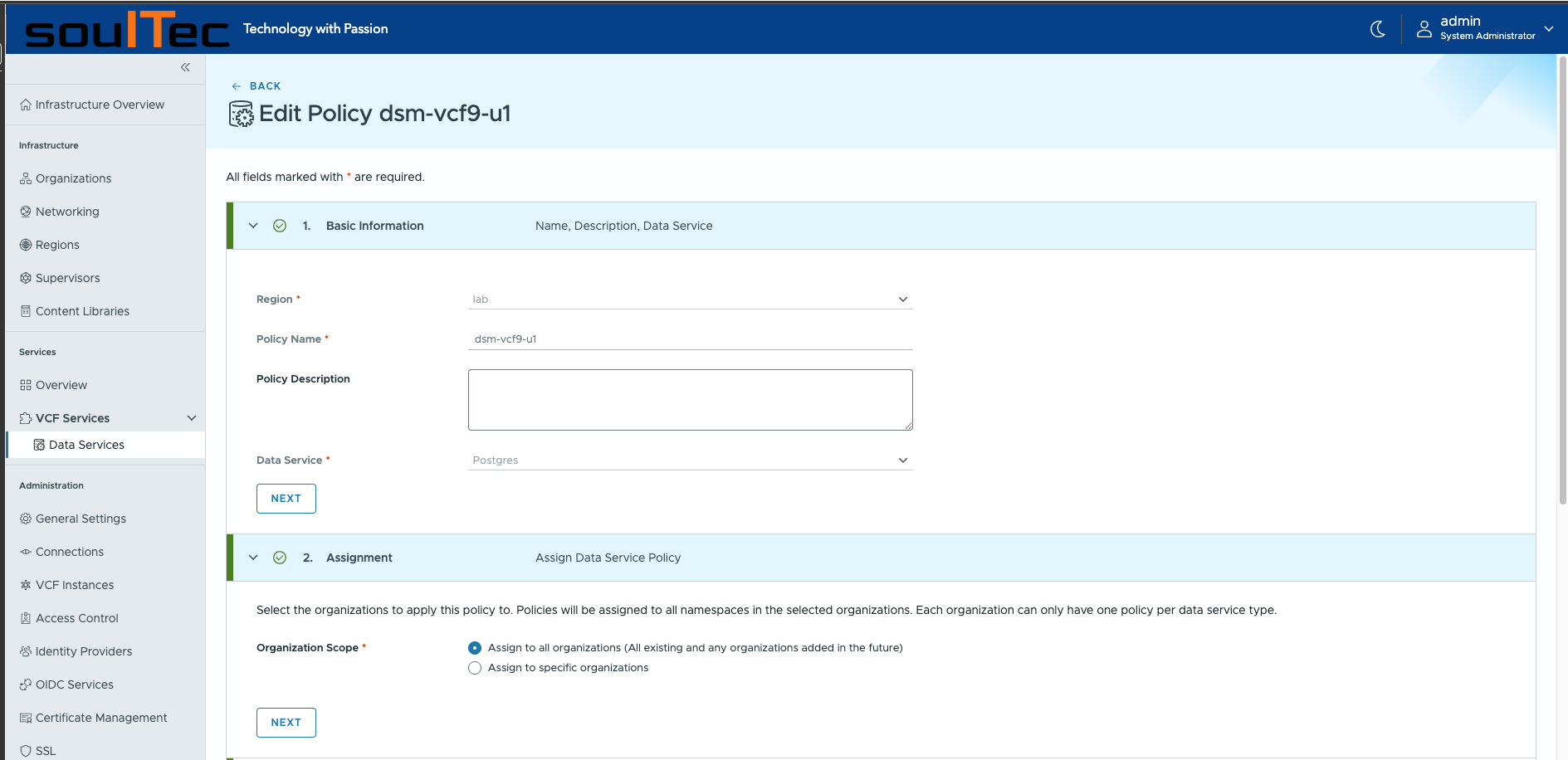
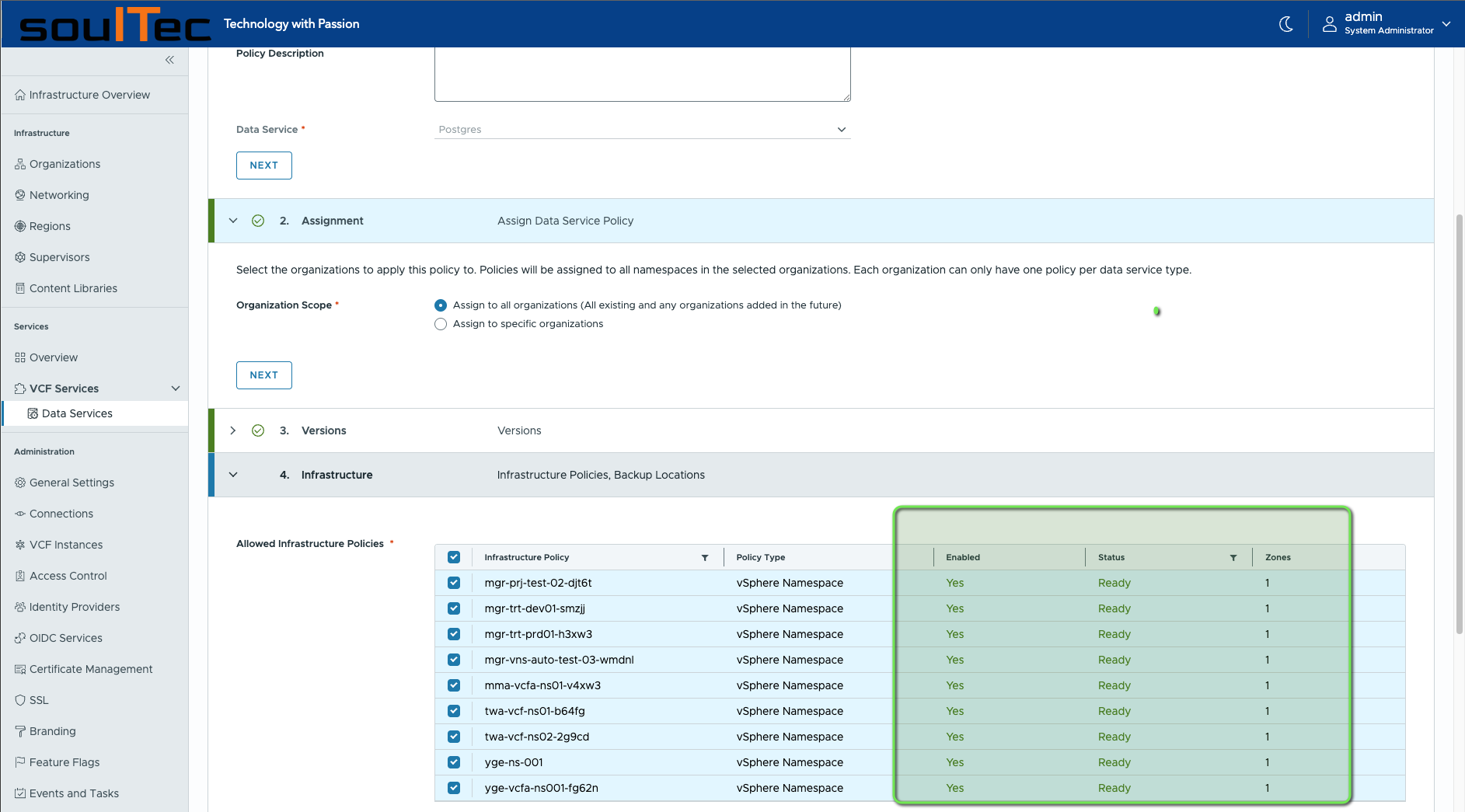
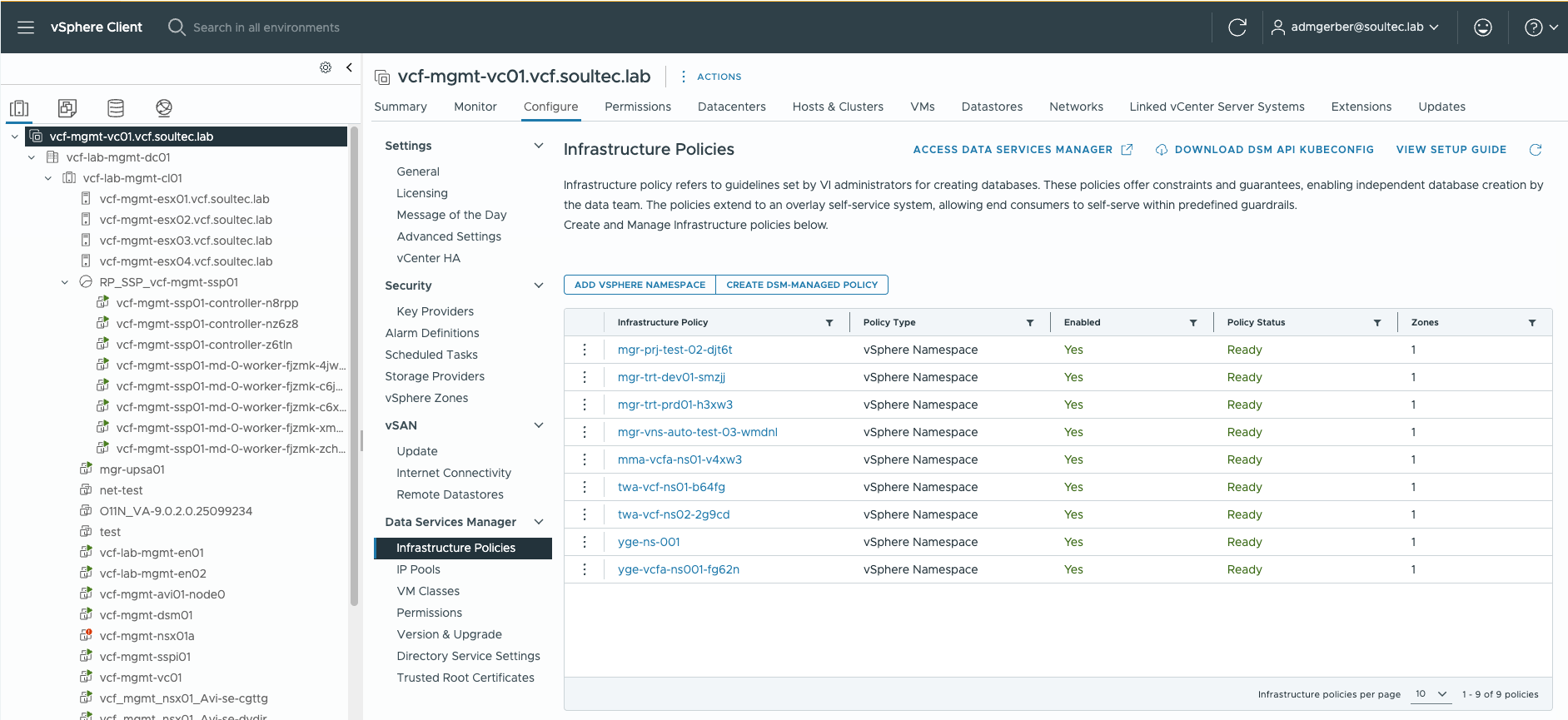
Also check in vSphere UI if the vSphere Namespace is ready:
Create a DBaaS
Log in to VCFA as an Org or Project Admin:
Provision a Postgres cluster:
Fill out the details:
Log in to Postgres Cluster
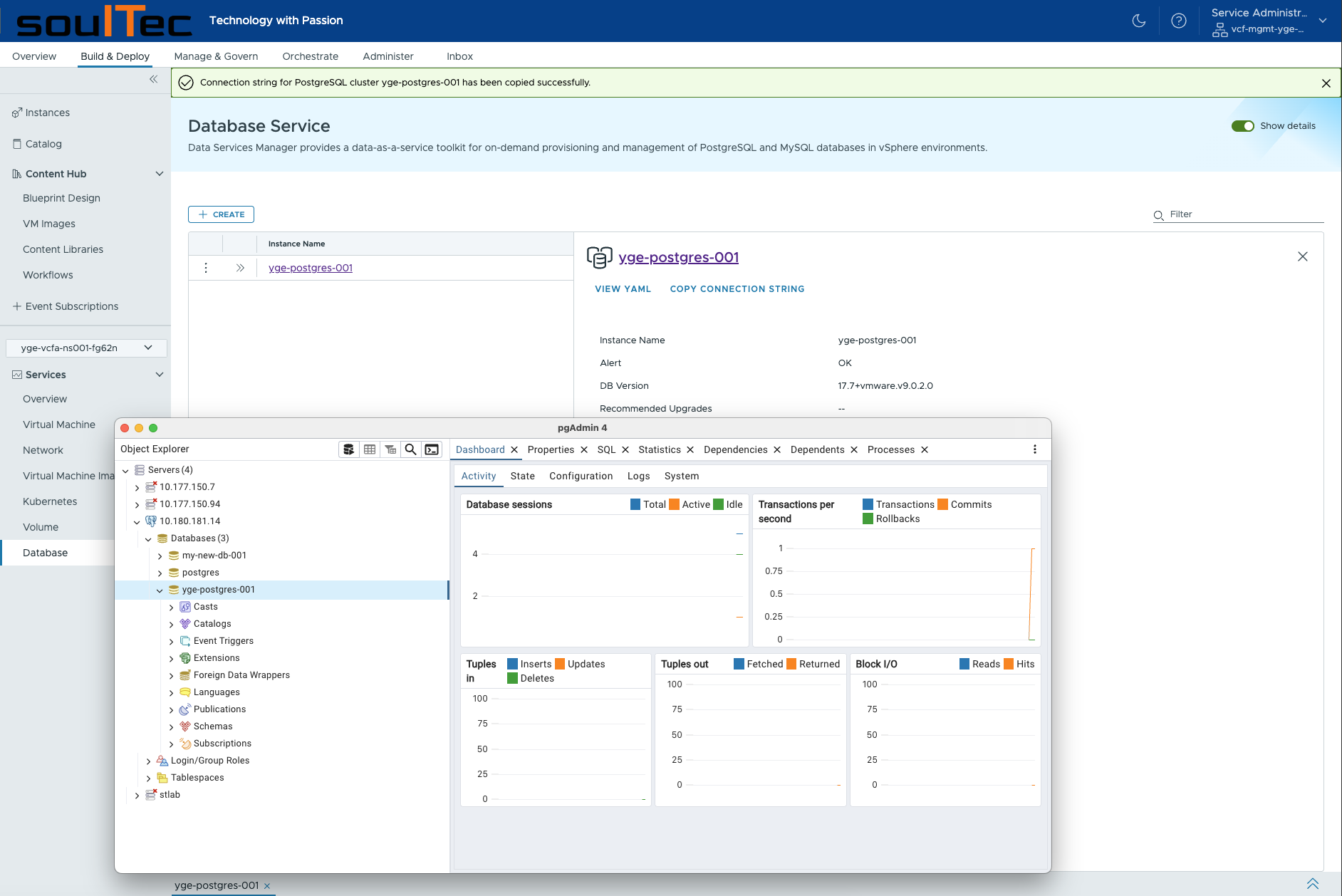
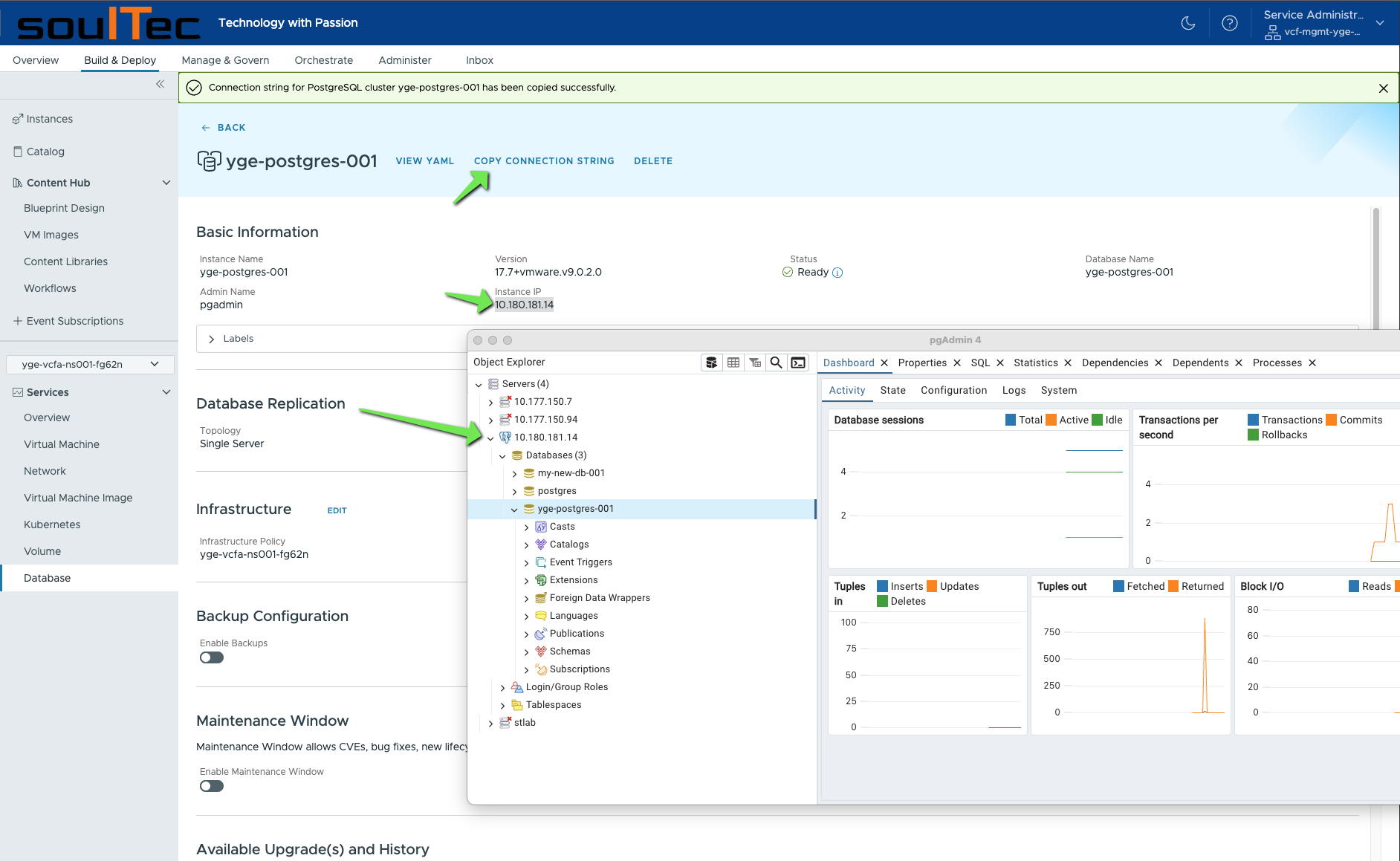
Now the Postgres service is provisioned through VCFA. To connect to the database, use for example pgAdmin:
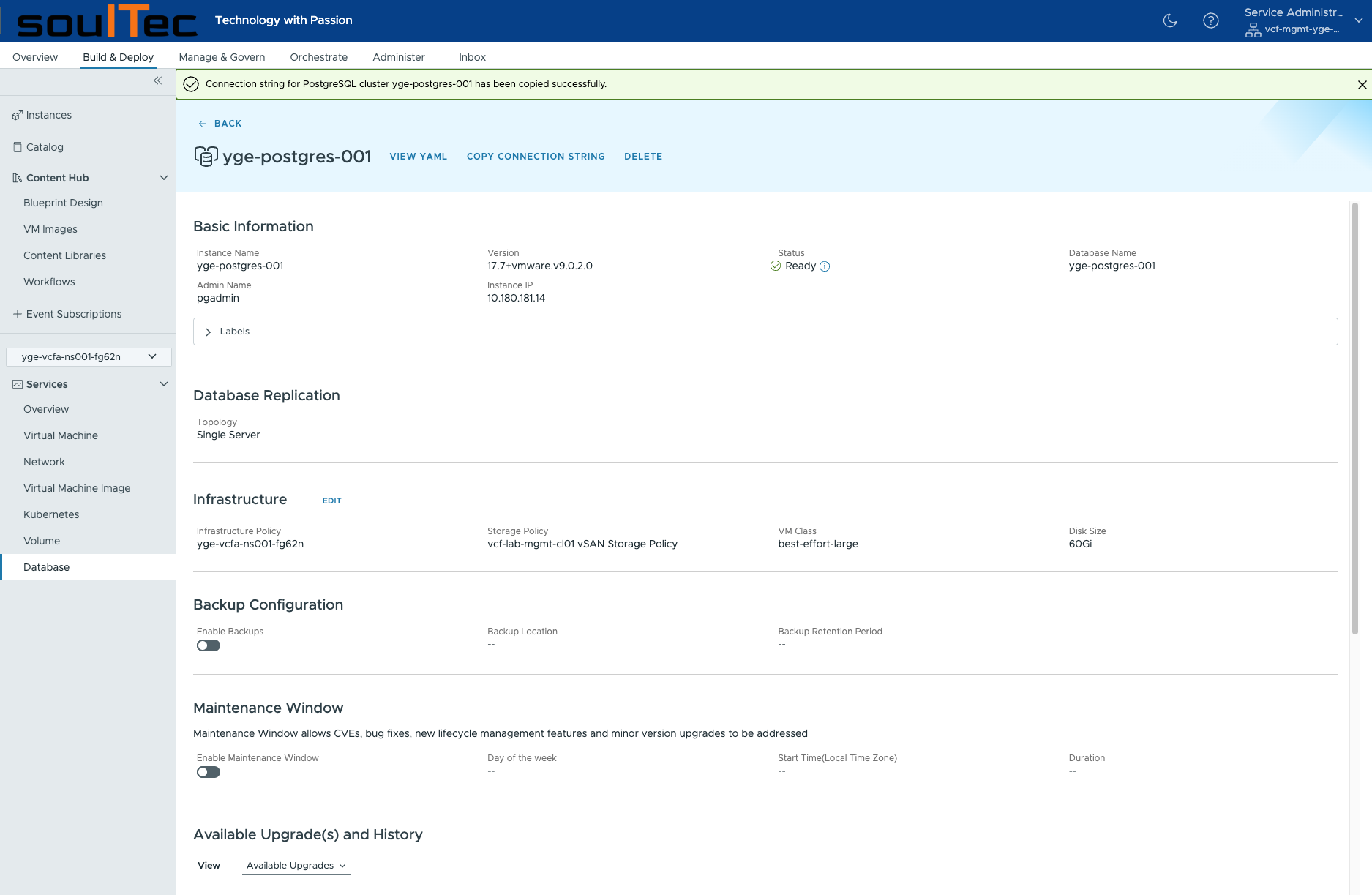
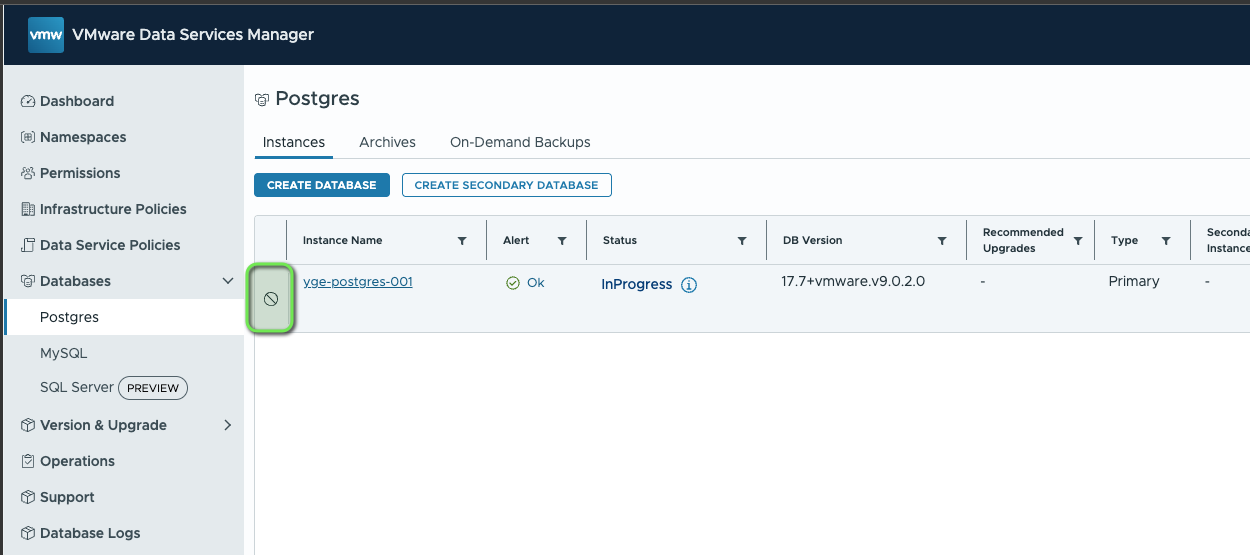
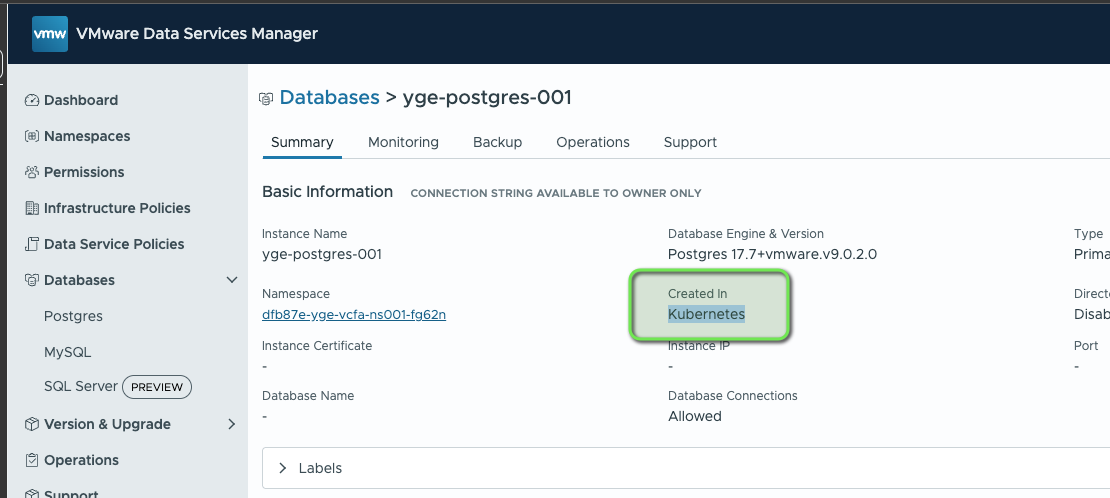
Within the DSM UI, the database cannot be edited as it was deployed through VCFA and the Kubernetes Consumption Operator.
Conclusion
Setting up DSM with VCFA is quite easy and straightforward. As with everything provisioned via VCFA, you can use the YAML file for the DBaaS in your CI/CD pipeline. If you want to provision DBs from within your K8s guest cluster (and still have the DBs running outside of them), see my post about the DSM Kubernetes Operator: https://ygerber.online/post/dsm-9-k8s/
TechDocs article for DSM with VCFA: